Could Caddis Challenge Adobe After Effects for Motion Design?
While it’s still in beta, Caddis isn’t attracting attention simply because it’s new. It’s challenging one of the biggest assumptions in motion design software
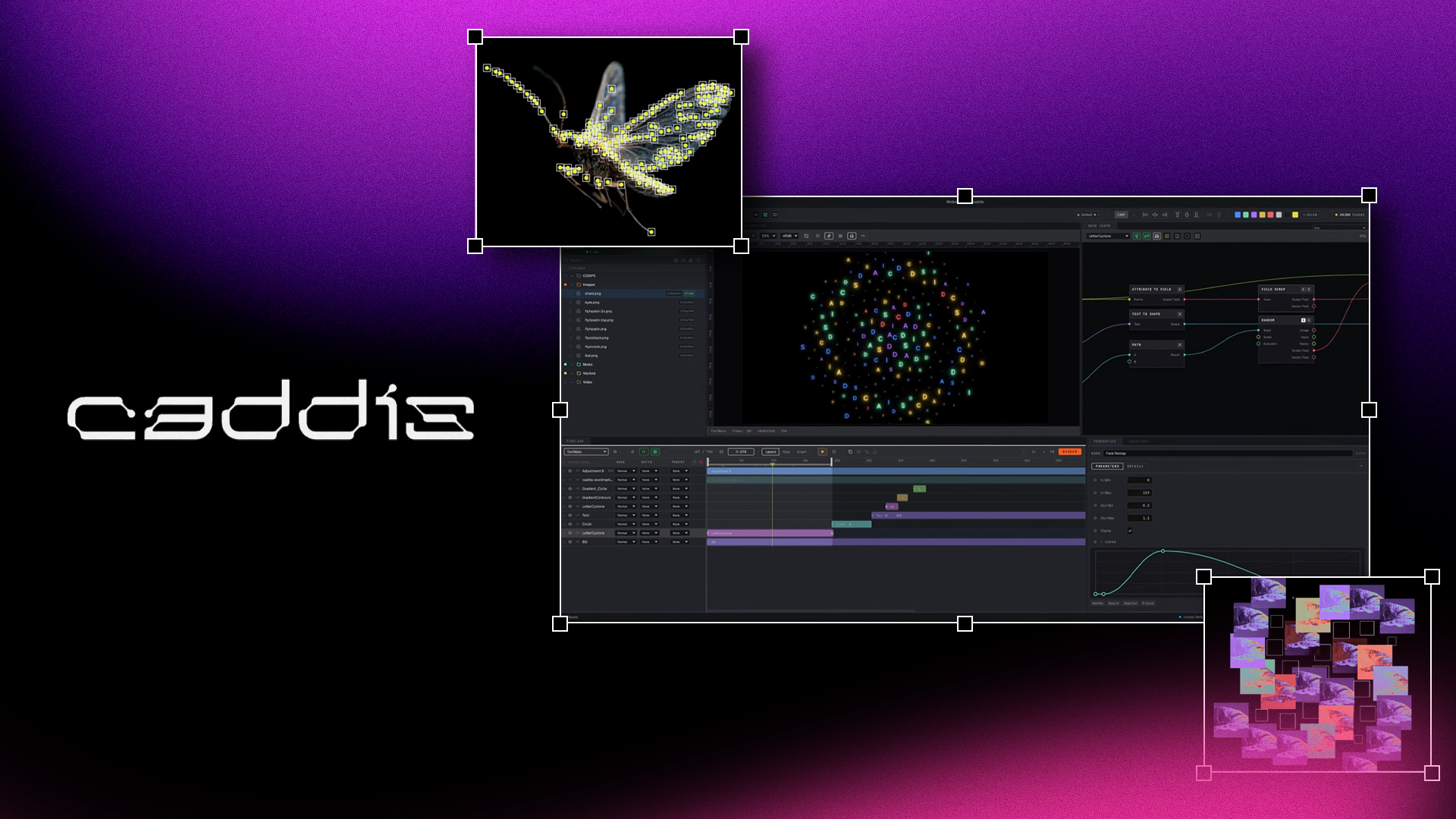
A new motion graphics application called Caddis is generating plenty of discussion among motion designers and for good reason. Its unique approach combines a familiar layer-based timeline with procedural node graphs, leading many creators to ask the same question: could it become a genuine Adobe After Effects alternative?
While it’s still in beta, Caddis isn’t attracting attention simply because it’s new. It’s challenging one of the biggest assumptions in motion design software; that artists have to choose between traditional timeline editing and node-based workflows.
Whether it ultimately replaces After Effects is another question entirely, but its approach raises interesting possibilities for where motion graphics software could be heading next.
What Makes Caddis Different from Other Motion Graphics Software?
Most node-based motion graphics software asks artists to build an entire project inside a node graph. Caddis takes a different route by embedding a procedural node graph inside every layer, allowing designers to combine timeline editing with procedural animation. If you’re unfamiliar with nodes, think of them as a visual way of connecting behaviors and effects instead of relying solely on keyframes. Rather than animating every property manually, designers can build systems that are easier to update, reuse, and modify.
Imagine creating a lower-third animation once and then updating it for every client simply by changing a few values instead of rebuilding the animation from scratch. That’s the kind of workflow Caddis is aiming to make more accessible. As CG Channel’s first look at Caddis explains, this hybrid approach is one of the biggest reasons the software has captured the attention of motion designers.
More importantly, if tools like Caddis prove successful, they could encourage more motion design software to embrace hybrid node-and-layer workflows rather than forcing creators to choose one approach over the other.
Can Caddis Replace Adobe After Effects?
For most motion designers today, the answer is probably not yet.
After Effects has spent decades building an ecosystem of plugins, scripts, templates, tutorials, and production pipelines that creative professionals depend on every day. Replacing that overnight would be incredibly difficult.
That said, the answer may depend on who’s asking. A freelance motion designer producing social media content may be more willing to experiment with new software than a broadcast studio managing established production pipelines. Agencies balancing client deadlines often value stability, while independent creators may prioritise innovation and faster workflows.
According to the official Caddis website, the application already supports reusable node graphs, video, vector graphics, text, audio, and cross-platform compatibility. While that’s an impressive foundation, it still has time to catch up before it can be considered a complete Adobe After Effects alternative for every type of production. Rather than replacing After Effects, Caddis currently feels like a complementary tool that offers a fresh way to approach procedural animation.
Should Motion Designers Keep an Eye on Caddis?
Creator Mike Gaynor has demonstrated this philosophy in action through several early previews, showing how procedural systems can enhance familiar layer-based editing rather than replace it. His demonstrations of Caddis provide an interesting look at how the software behaves in real-world projects.
Should Motion Designers Keep an Eye on Caddis? Absolutely.
Whether Caddis becomes a serious Adobe After Effects competitor or simply inspires the next generation of creative tools, one thing is clear: motion design software is evolving faster than ever. Today’s experiments often become tomorrow’s industry standards, which is why emerging tools deserve attention even if they aren’t ready to replace established software.
At Plugin Play, we keep a close eye on emerging creative tools because today’s experiments often become tomorrow’s industry standards. Whether Caddis reshapes motion design or simply pushes established software to innovate, it’s exactly the kind of development every motion designer should be watching.
If you’re always looking for the latest plugins, scripts, templates, and creative tools for After Effects, Premiere Pro, and Illustrator, explore what’s new on Plugin Play and discover workflow tools built to help you create faster.