A New Way of Showing Your After Effects Process: Meet XRay
Example excerpt
A polished animation can hide a surprising amount of work. Open the project file and you might find dozens of layers, precomps, nulls, motion paths, and keyframes all working together to create something that looks effortless.
That hidden process is worth showing. Behind-the-scenes renders and animation breakdowns give people a look at how the work was actually built, but putting those visuals together can become a project of its own.
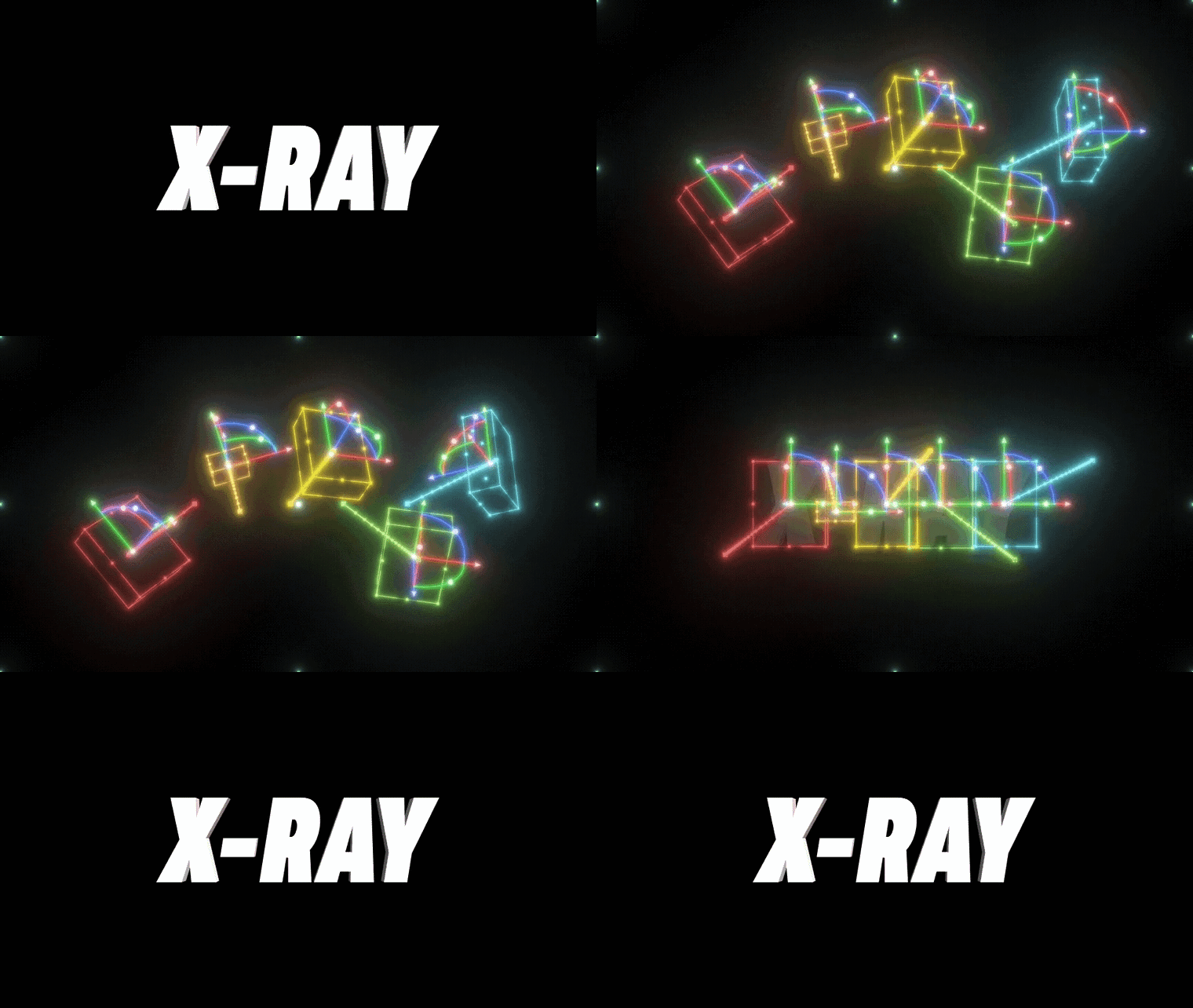
XRay is built to make that part easier. Created by Motion By Nick, XRay scans your After Effects compositions and precomps and turns what’s happening inside them into editable shape layers and 3D objects. So instead of simply recording your workspace, you can create a cleaner, more customisable version of your process. You can learn more about XRay and add it to your workflow.
How XRay Makes After Effects Animation Breakdowns Easier
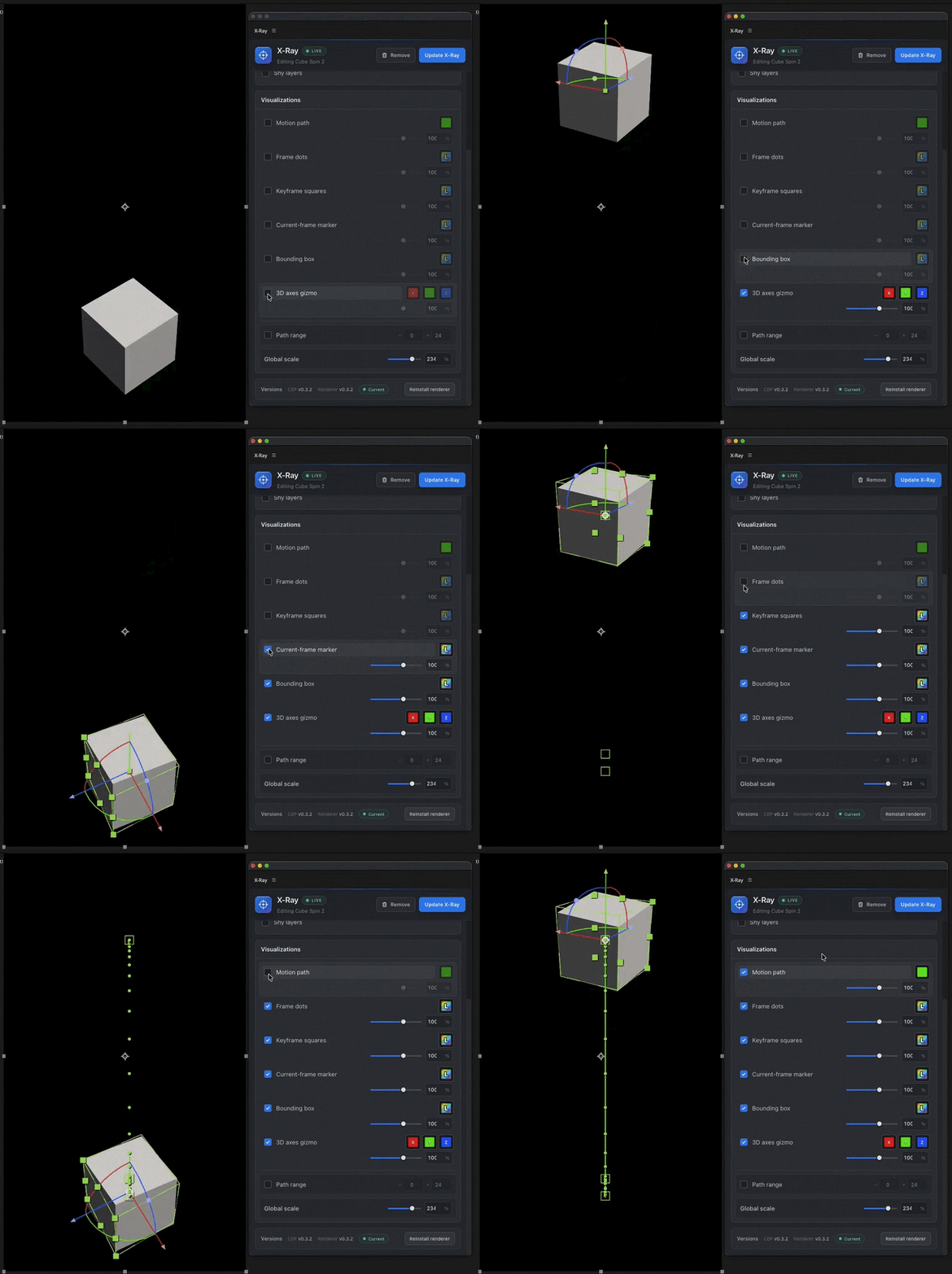
XRay essentially helps you turn the technical side of an After Effects project into something you can actually present. Scan a composition and XRay can generate visuals that show the structure behind your animation. The resulting shape layers and 3D objects are editable, so you can adjust the presentation instead of being limited to whatever happens to be visible in your workspace. It also works with precomps, which is useful when you’re working on a project where the important details aren’t all sitting in your main composition. And because the visualisation can stay live with your animation, changes to the project don’t mean starting your breakdown from scratch.
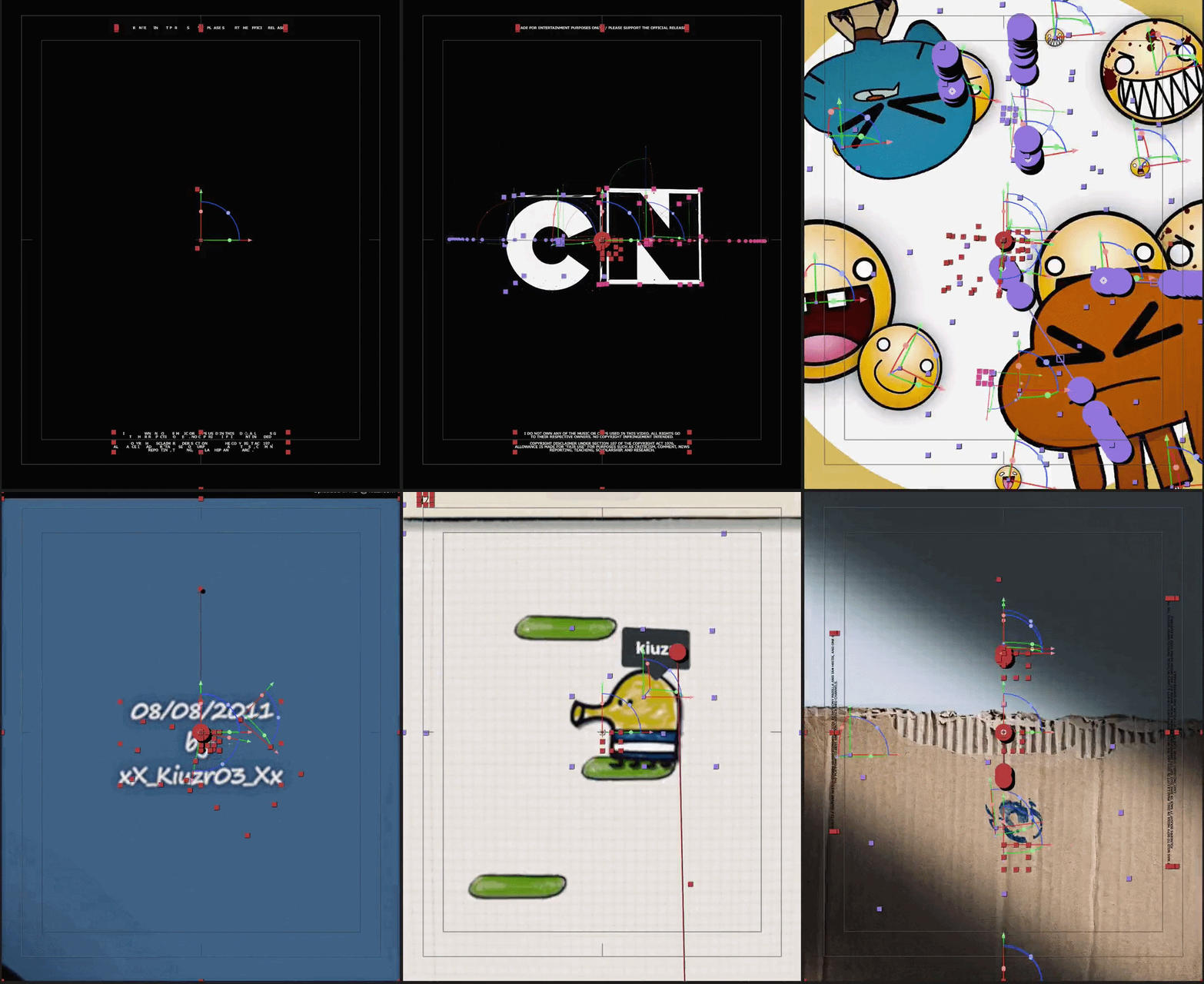
If you’ve used Cyclops 2 before, you’ll probably recognise the idea. Cyclops 2 was made for creating behind-the-scenes renders that could show elements such as null layers, motion paths, and layer bounding boxes. XRay sits in that same space, while giving you its own approach to generating and editing those visuals.
Turn Your After Effects Workflow Into Better Process Content
A process video doesn’t have to be a screen recording of your timeline with a voiceover explaining what’s happening. When the technical details are presented well, they can become part of the visual itself. That’s where XRay gets interesting for motion designers. You can use the generated visuals for animation breakdowns, project case studies, tutorials, portfolio presentations, or social content. Instead of only showing the final result, you can give people a look at the layers and structure that made it possible.
And because you’re working with editable elements, you have more control over how that behind-the-scenes content looks. You can highlight what matters, clean up the presentation, and make the technical side of your workflow feel just as intentional as the animation itself. If you’ve been looking for a better way to show the work behind your animations, now’s a good time to try XRay.
Get XRay on Plugin Play and start turning your After Effects projects into process content.