Better Gradients Gives After Effects a New Approach to Gradient Design
The After Effects plugin is built specifically around gradient design, with tools for Oklab gradients, presets, path strokes, and GPU textures.
After Effects already gives designers tools such as Gradient Ramp and 4-Color Gradient, and there are plenty of techniques for pushing those native effects further. Ben Marriott’s Easy Gradients in After Effects, for example, shows how designers can create and animate gradients using After Effects’ built-in tools.
But there’s a point where building gradients from several effects starts to feel like workarounds rather than design. Lesterbanks’ A Better Way to Make Gradients in After Effects demonstrates one way to push beyond standard gradient effects, using Fractal Noise and Colorama to create more dynamic results. It’s a useful technique, but it also shows how quickly a simple gradient can turn into a more involved effect setup.
That’s where Better Gradients comes in. The After Effects plugin is built specifically around gradient design, with tools for Oklab gradients, presets, path strokes, and GPU textures. It isn’t necessarily something every After Effects user needs. Instead, it’s aimed at designers who want more control when gradients become an important part of the visual style.
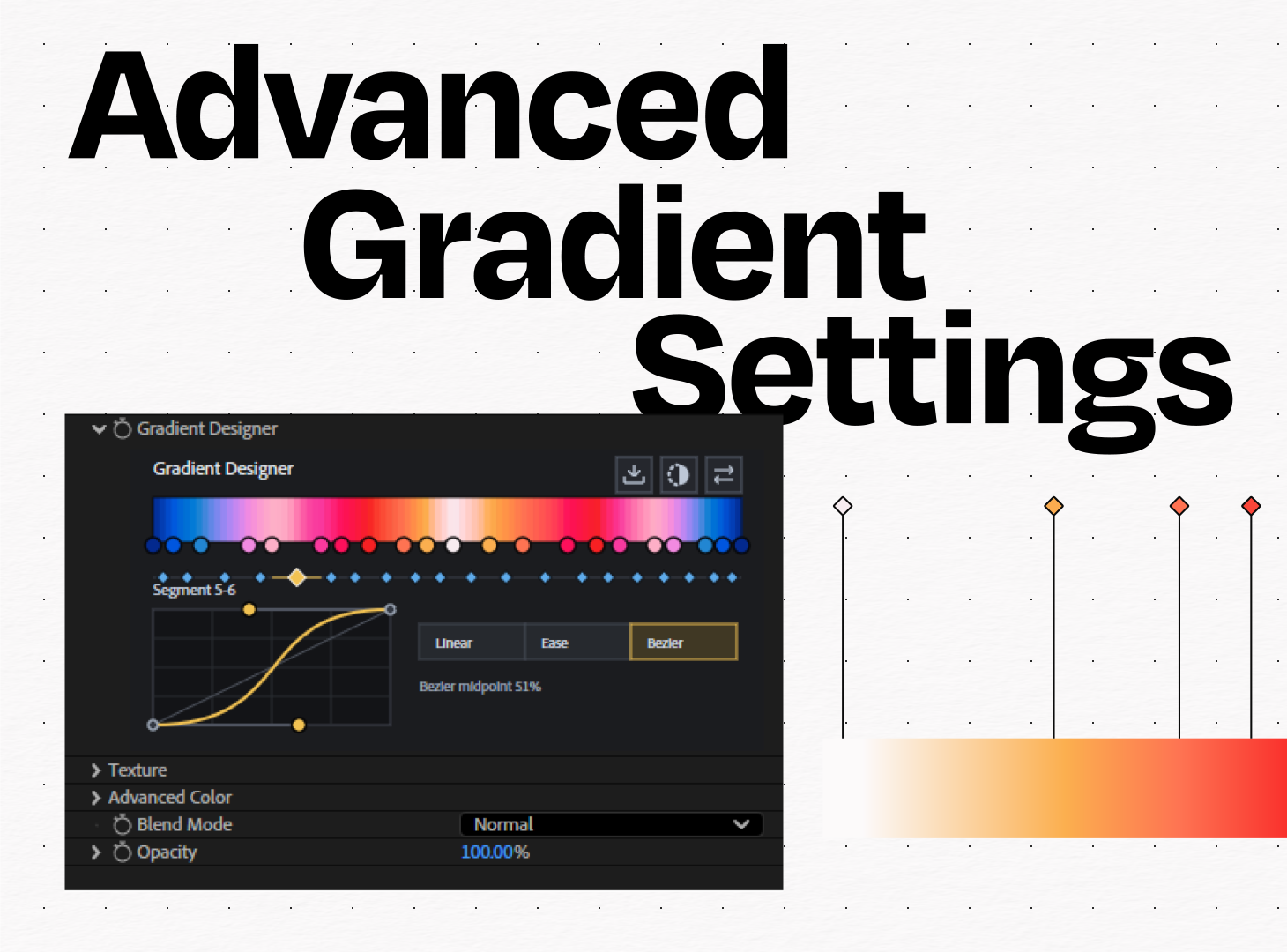
How to Create Better Gradients in After Effects
The biggest difference with a dedicated gradient tool is the amount of control you have over the colour transition itself. Better Gradients uses Oklab colour space, a perceptual colour model designed to represent colour relationships more naturally to the human eye. In practical terms, that can help when you’re working with vibrant or contrasting colours and want a smoother, more intentional transition between them.
The plugin also provides advanced controls for adjusting colour points, interpolation, blend modes, and opacity. That means you can spend more time designing the gradient rather than stacking multiple effects to get the result you want.
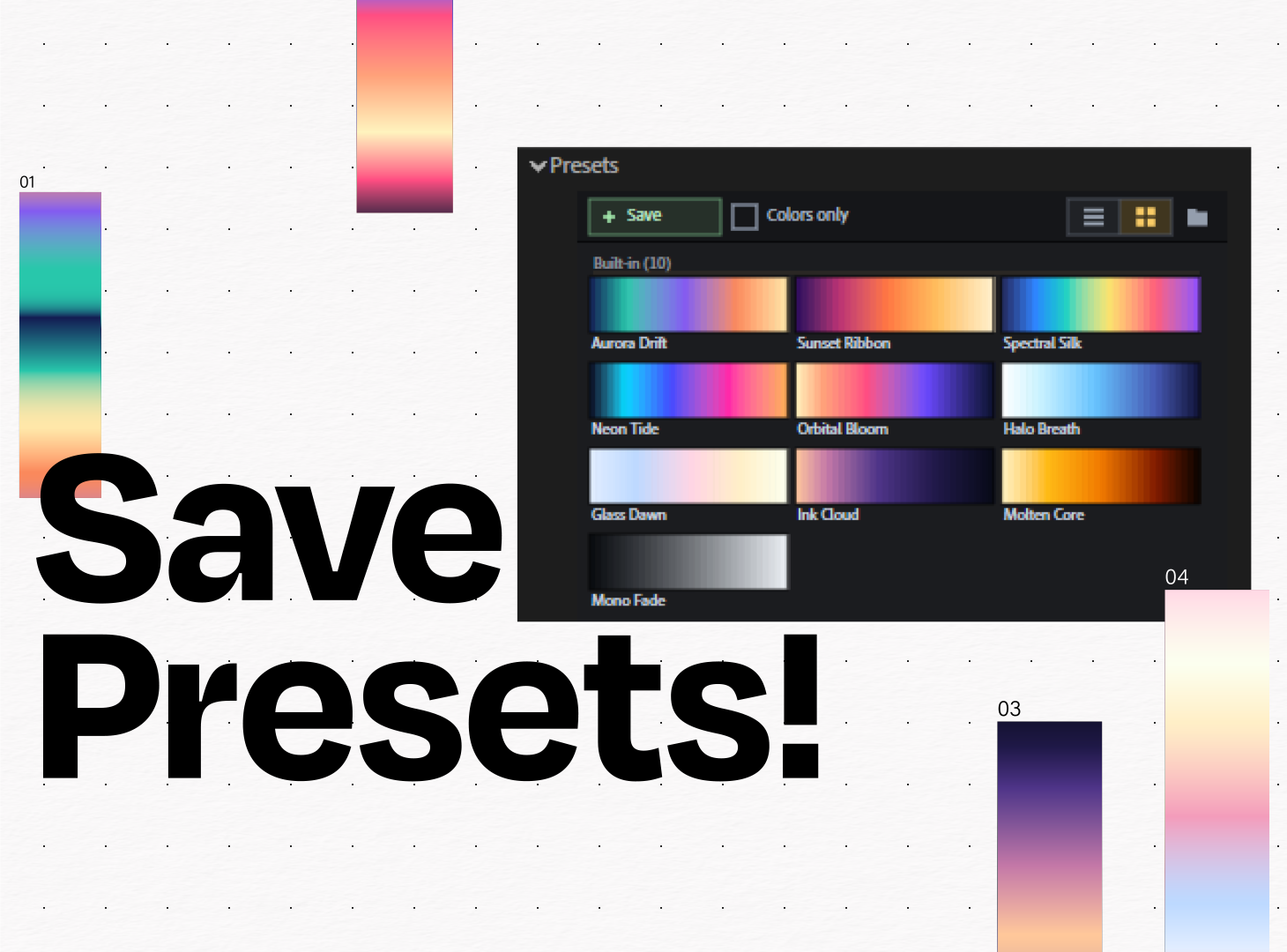
And once you have a gradient you like, you don’t have to rebuild it for the next project. Better Gradients lets you save presets, making it easier to reuse specific colour combinations and maintain a consistent visual style across a series of animations or client projects. For example, a designer working on a brand campaign could create a custom gradient using the project’s colour palette, save it as a preset, and reuse that treatment across multiple compositions.
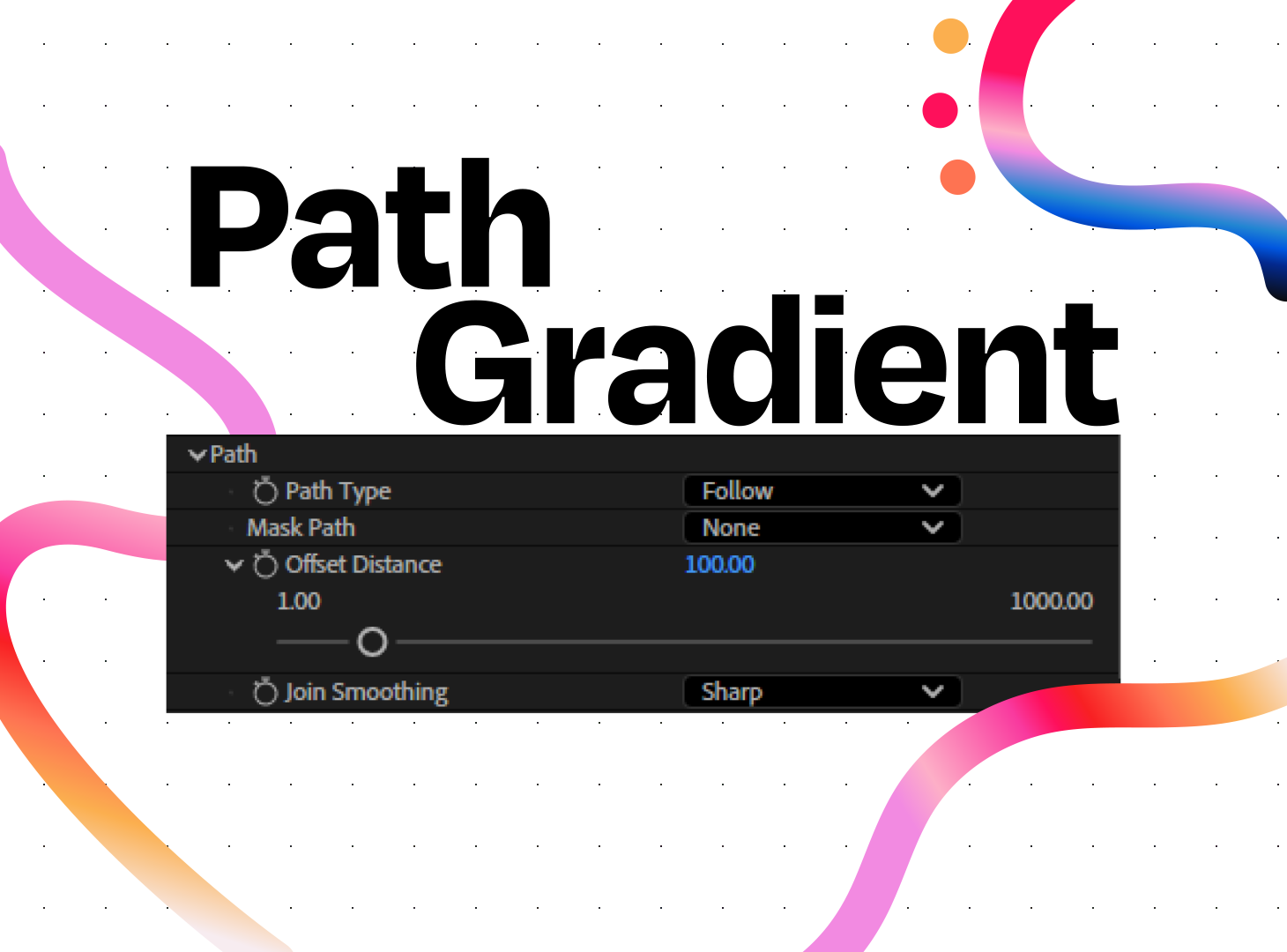
How to Create Path Gradients and Textured Motion Graphics in After Effects
Gradients don’t have to live in the background. They can become part of the movement itself. Better Gradients supports path strokes, allowing designers to apply gradients along paths and use colour as part of an animated shape. Imagine a line travelling around a logo while its colours transition naturally along the stroke, or an abstract shape whose gradient follows its movement. These are the kinds of treatments that can require more work when built entirely from standard After Effects effects.
The plugin also includes GPU textures, which can be useful when a perfectly smooth digital gradient feels too flat. Texture can introduce variation, break up large areas of colour, and give an otherwise simple gradient a more tactile or distinctive appearance.
This is where Better Gradients becomes more interesting than simply being another way to make a colour fade. It gives designers different ways to treat gradients as an actual motion design element whether that’s through colour, movement, or texture.
When Is Better Gradients Worth Using?
If you’re creating a simple two-colour background, After Effects’ native gradient tools may be all you need. There’s no reason to add a plugin when the built-in tools already solve the problem. But when gradients are central to the design, the equation changes.
Better Gradients brings advanced colour controls, reusable presets, path gradients, and texture options into a focused workflow. Instead of building the effect from several separate techniques, designers can experiment with the gradient itself and refine it within After Effects. For motion designers who regularly work with colorful backgrounds, abstract animation, animated strokes, or gradient-heavy visual identities, that focus can make the creative process considerably more flexible.
Better Gradients gives you the control to build the gradient you actually want whether that means smoother Oklab colour transitions, reusable presets, gradients that follow paths, or textured finishes. Instead of piecing together multiple effects to get there, you can build and refine the gradient directly in After Effects. Want to spend less time building gradient workarounds and more time designing? Try Better Gradients for After Effects.